{{Variables}}
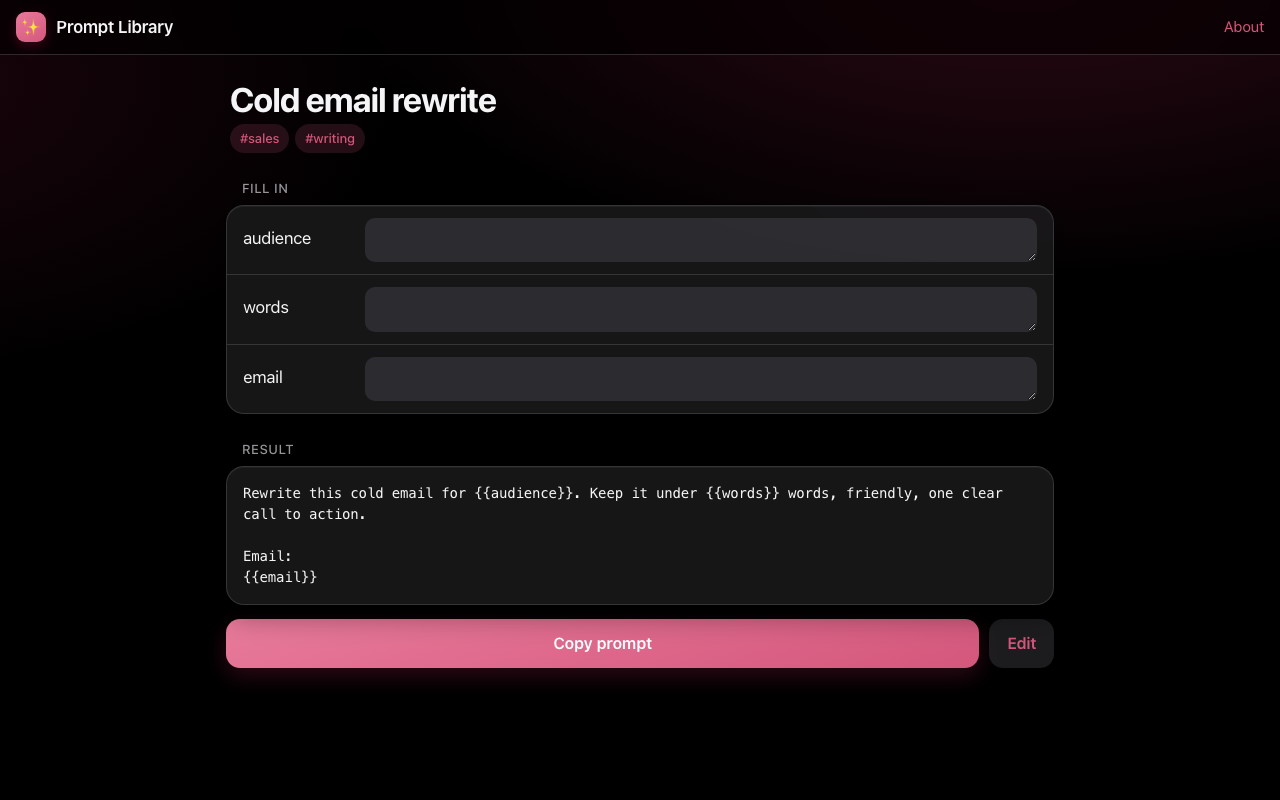
Blanks become a fill-in form automatically.
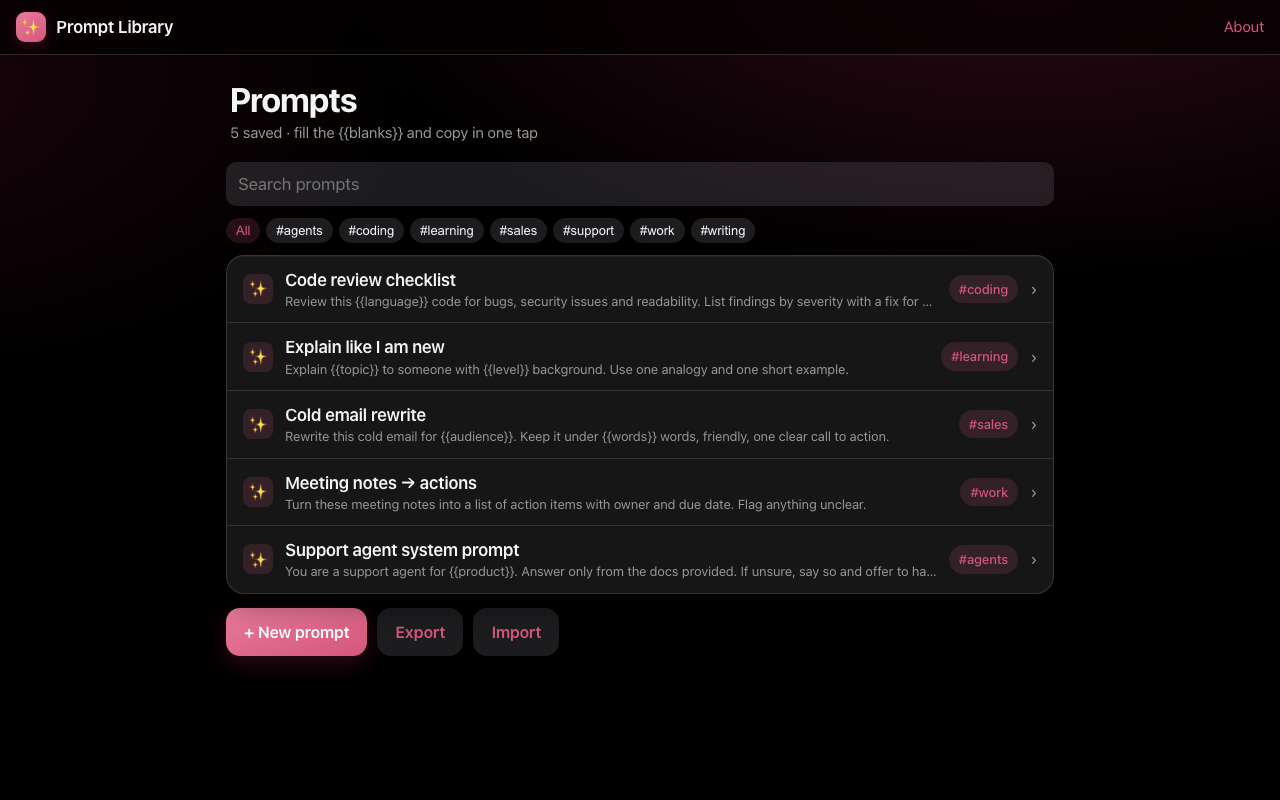
Stop rewriting the same prompts. Save them with {{blanks}}, fill the blanks in a form, copy, and paste into any AI assistant.
JSON import/export. Works on iPhone, Android and desktop.
Works with any chat assistant or agent builder.
Blanks become a fill-in form automatically.
Find any prompt instantly.
Copies the filled prompt.
Usage count keeps favourites on top.
Back up or share as JSON.
Prompts never leave your device.
Real screens from the app.
Real situations where Prompt Library saves time.
Reuse brand voice prompts across campaigns.
Keep review, test and refactor prompts handy.
Version system prompts and share them as JSON.
Up and running in under a minute.
Write it with {{blanks}} and tags.
Open it and type the values.
Paste into your AI tool.
Everything you type stays in this browser on this device (localStorage). There is no account, no server database and no tracking of what you enter.
No. It manages prompts; you paste them into the AI tool you use.
Export JSON and they can import it.
Yes, free with no sign-up.
No. It stays in your browser.
Countdown, hospital bag checklist and questions for your care team before surgery.
TradingSize each trade from your risk %, entry and stop-loss — with reward:risk and a simple journal.
AIEstimate monthly LLM cost for an AI agent or chatbot — tokens, tool-use steps and caching.